


Page 92 - SQL
P. 92
StateProvinceID      Name                                TaxRate     FirstValue

          1                    Canadian GST                        7.00        74


          57                   Canadian GST                        7.00        74

          63                   Canadian GST                        7.00        74


        LAST_VALUE


        The LAST_VALUE function provides the last value in an ordered result set, which you specify using a
        scalar expression.


         SELECT TerritoryID, StartDate, BusinessentityID,
                LAST_VALUE(BusinessentityID)
                 OVER(ORDER BY TerritoryID) AS LastValue
         FROM SalesTerritoryHistory;


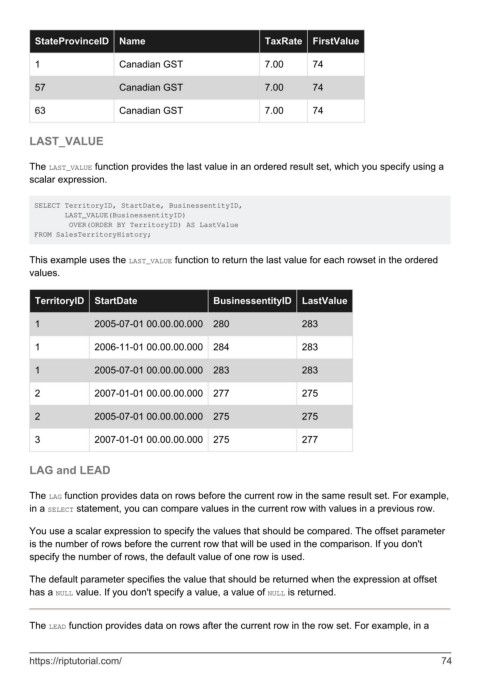
        This example uses the LAST_VALUE function to return the last value for each rowset in the ordered
        values.


          TerritoryID   StartDate                     BusinessentityID      LastValue


          1             2005-07-01 00.00.00.000       280                   283

          1             2006-11-01 00.00.00.000       284                   283


          1             2005-07-01 00.00.00.000       283                   283

          2             2007-01-01 00.00.00.000       277                   275


          2             2005-07-01 00.00.00.000       275                   275


          3             2007-01-01 00.00.00.000       275                   277


        LAG and LEAD


        The LAG function provides data on rows before the current row in the same result set. For example,
        in a SELECT statement, you can compare values in the current row with values in a previous row.


        You use a scalar expression to specify the values that should be compared. The offset parameter
        is the number of rows before the current row that will be used in the comparison. If you don't
        specify the number of rows, the default value of one row is used.

        The default parameter specifies the value that should be returned when the expression at offset
        has a NULL value. If you don't specify a value, a value of NULL is returned.


        The LEAD function provides data on rows after the current row in the row set. For example, in a


        https://riptutorial.com/                                                                               74

