


Page 162 - SQL
P. 162
, we are not returning any data from B. Thus a join is unnecessary, and the engine knows no
        values from B are to be returned, thus no performance hit for using *. Similarly COUNT(*) is fine as it
        also doesn't actually return any of the columns, so only needs to read and process those that are
        used for filtering purposes.


        Selecting with Condition


        The basic syntax of SELECT with WHERE clause is:


         SELECT column1, column2, columnN
         FROM table_name
         WHERE [condition]


        The [condition] can be any SQL expression, specified using comparison or logical operators like >,
        <, =, <>, >=, <=, LIKE, NOT, IN, BETWEEN etc.


        The following statement returns all columns from the table 'Cars' where the status column is
        'READY':


         SELECT * FROM Cars WHERE status = 'READY'


        See WHERE and HAVING for more examples.

        Select Individual Columns


         SELECT
             PhoneNumber,
             Email,
             PreferredContact
         FROM Customers


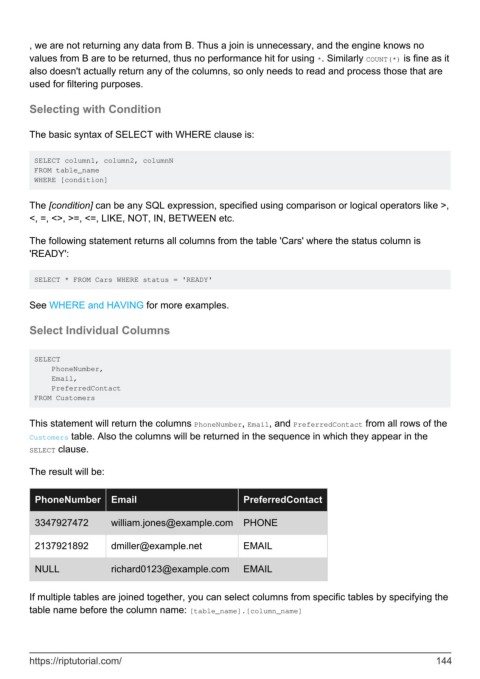
        This statement will return the columns PhoneNumber, Email, and PreferredContact from all rows of the
        Customers table. Also the columns will be returned in the sequence in which they appear in the
        SELECT clause.

        The result will be:


          PhoneNumber        Email                           PreferredContact

          3347927472         william.jones@example.com       PHONE


          2137921892         dmiller@example.net             EMAIL


          NULL               richard0123@example.com         EMAIL


        If multiple tables are joined together, you can select columns from specific tables by specifying the
        table name before the column name: [table_name].[column_name]


        https://riptutorial.com/                                                                             144

